Support Center

Launching the CalDigit Docking Station Utility at Start-up

Launching the CalDigit Docking Station Utility at Start-up

This article will guide you to add the CalDigit Docking Station Utility as a login item. Please follow the steps below:

Step 1. Open the System Settings application

Step 2. On the left Column, select General >> locate and select Login Items & Extensions
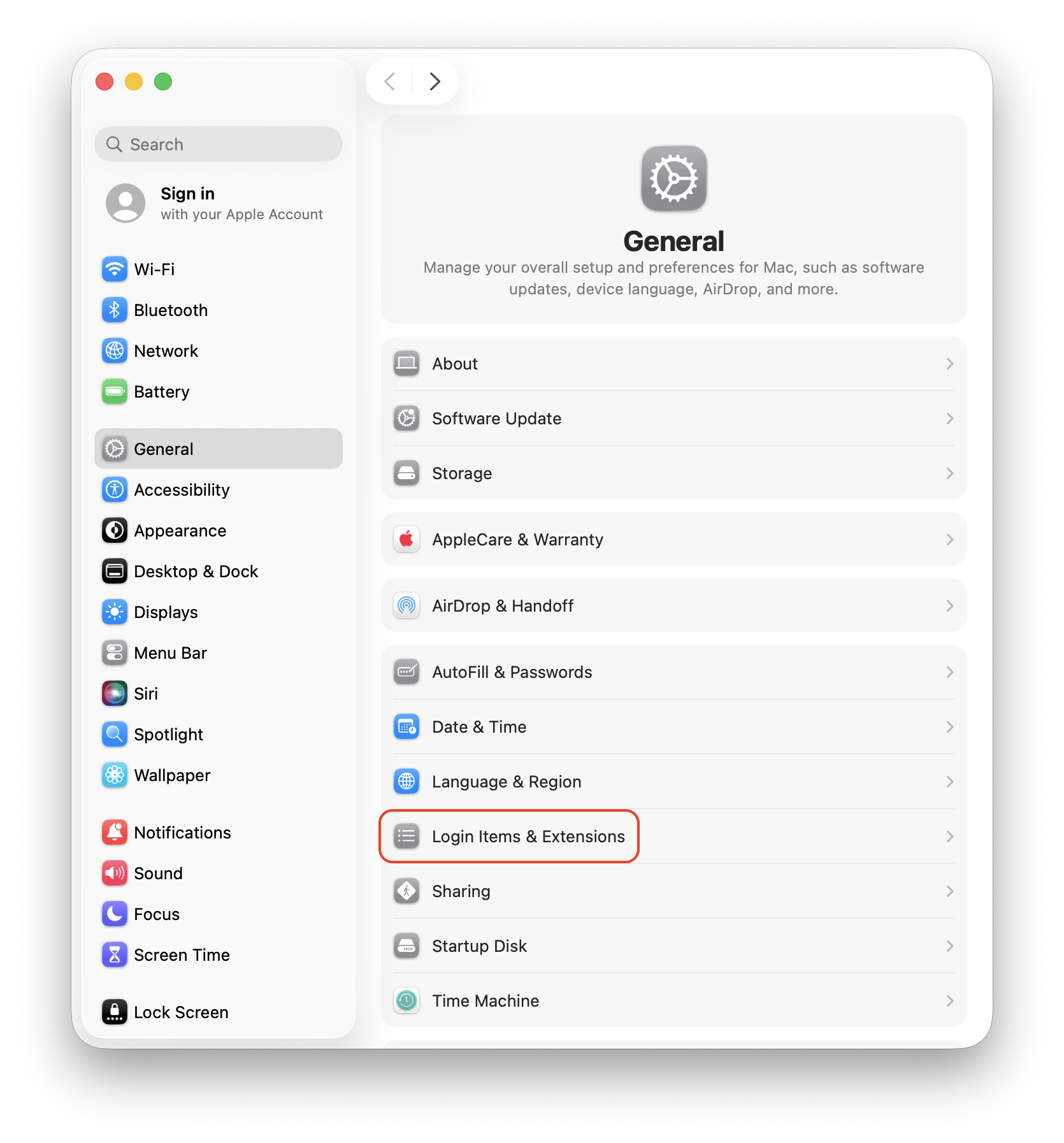
The System Settings application is open on macOS, with General selected on the left column and Login Items & Extensions circled.

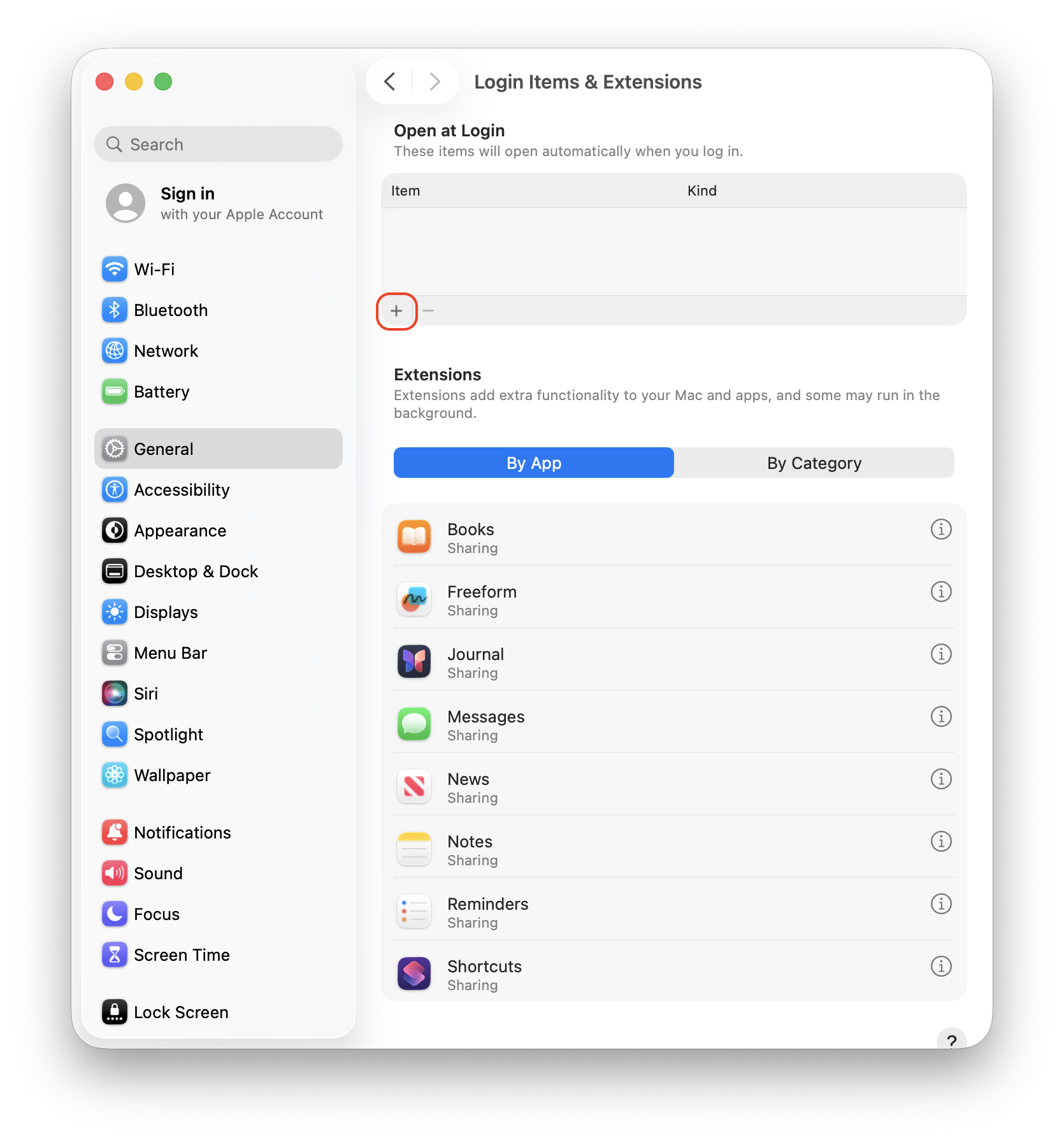
Step 3. Click on the plus icon (+)

The + icon is circled after selecting Login Items & Extensions from General

Step 4. Locate and double-click the CalDigit Docking Station Utility folder. Select the CalDigit Docking Station Utility application from inside the folder. Click Open.
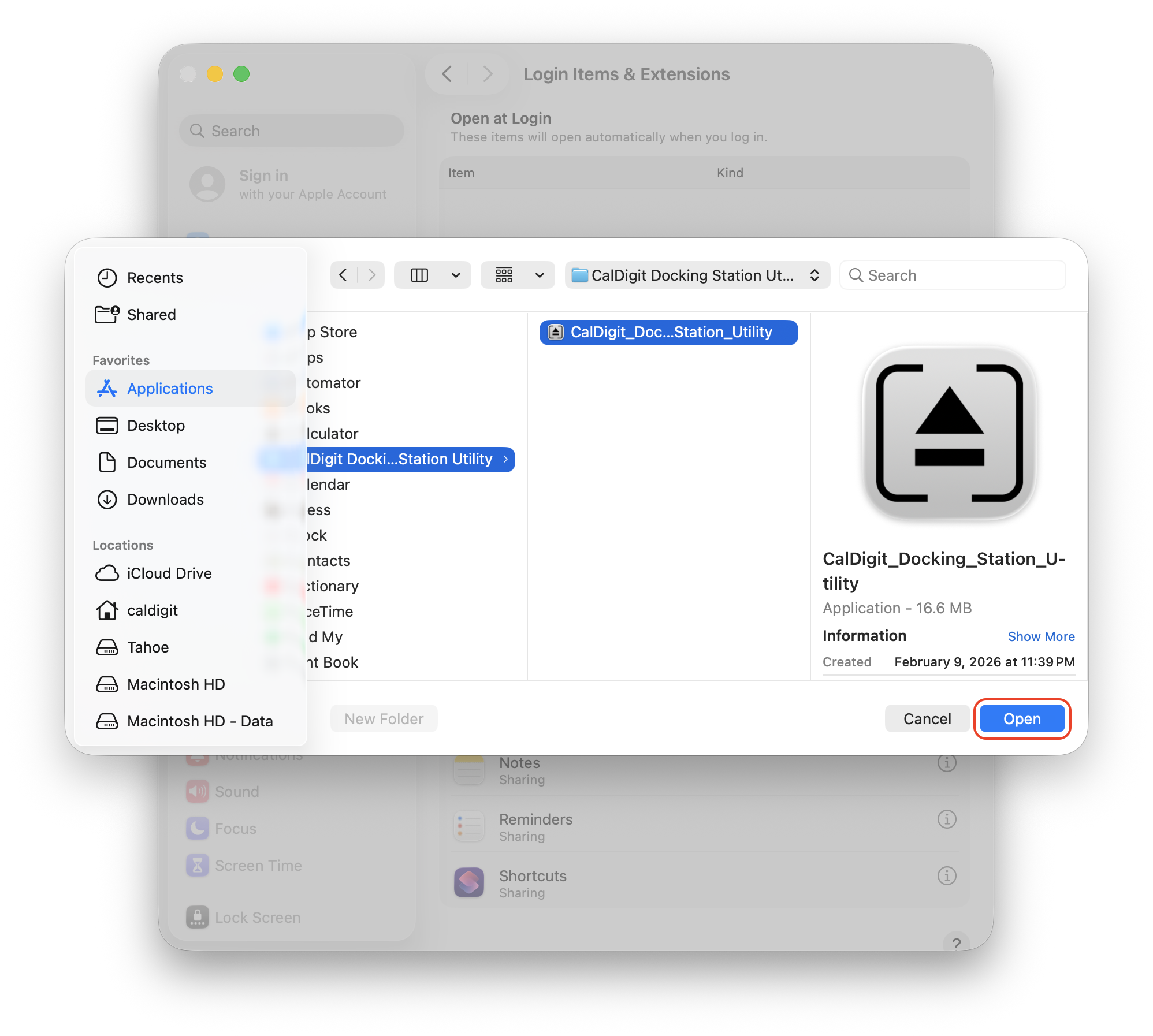
The CalDigit Docking Station Utility is selected from the Applications folder after clicking the + sign from the previous screenshot.

To remove the utility from startup, click Docking Station Utility from the Item list and click the minus sign (-). This will stop the Utility from launching after logging in to your Mac.
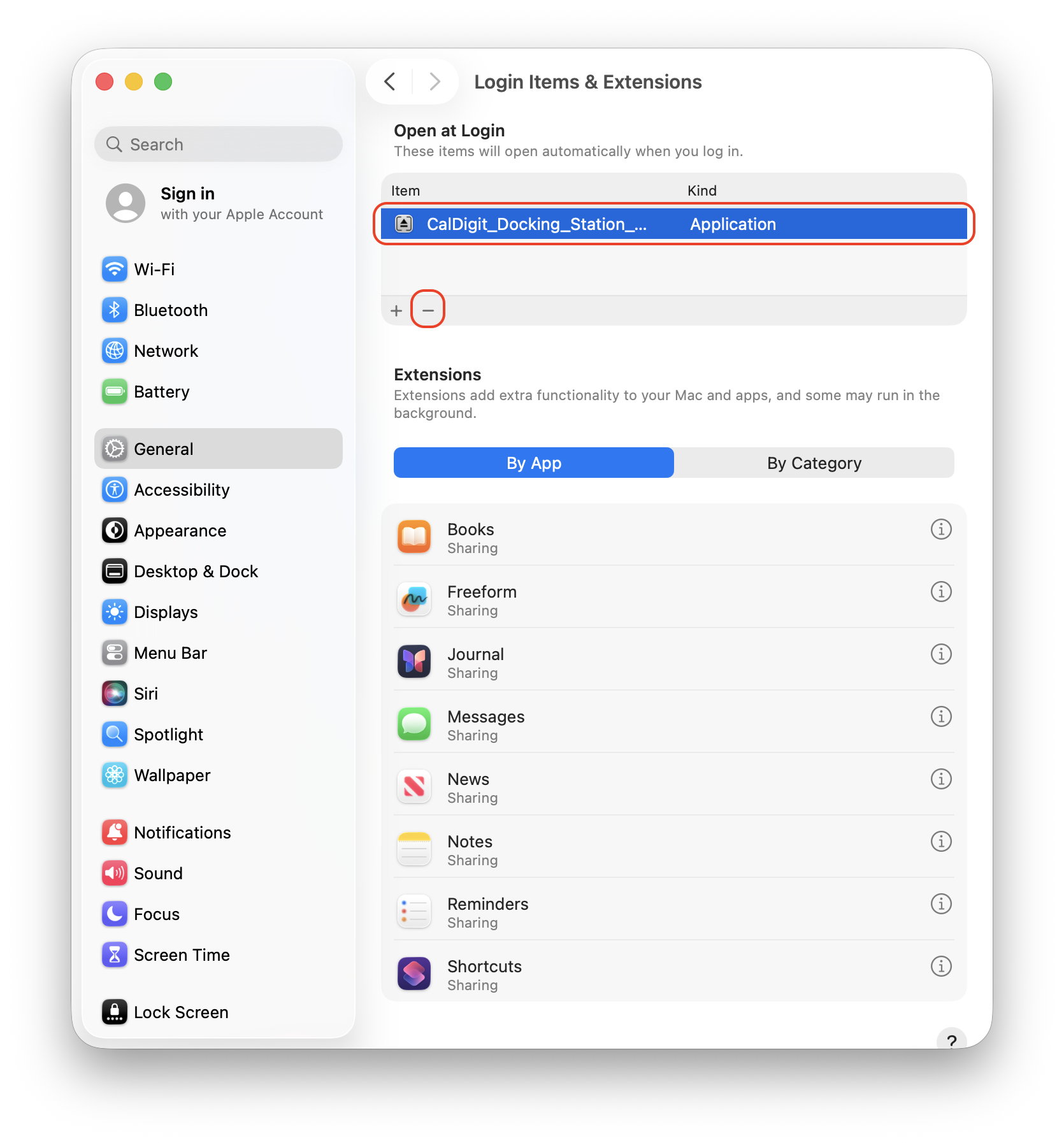

The - icon is circled after selecting Login Items & Extensions from General

Related Articles

The CalDigit Docking Station Utility

Uninstalling the CalDigit Docking Station Utility

CalDigit Support is ready to assist you.
For an optimal experience please have your product name, serial number, and operating system on hand prior to contacting support

Follow us on

Social Media

Follow us on

Social Media

Need some help?

Hours of Operation

Americas​​ ​

Mon – Fri   9:00AM – 6:00PM

(PST, UTC/GMT –8)

UK & Europe

Mon – Fri 8:30AM – 5:30PM  

(UTC/GMT 0)

Japan

Mon – Fri 9:00AM – 6:00PM

(UTC/GMT +9)

Asia

Mon – Fri 8:00AM – 5:00PM

(UTC/GMT +8)

CalDigit Support is ready to assist you.

For an optimal experience please have the following on hand prior to contacting support. 

Ready to chat?

Click the button to get started!

Need some help?

Send us an email! Our customer service representatives are patiently waiting!

Americas

+1 (714) 519-3387 (New Phone Line)

Support@CalDigit.com

Mon – Fri   9:00AM – 6:00PM
(PST, UTC/GMT –8)

UK & Europe

+44 (0) 1993 700 972

EUSupport@CalDigit.com

Mon – Fri 8:30AM – 5:30PM  
(UTC/GMT 0)

Japan

+81 (50) 3136 5168

Japan@CalDigit.com

Mon – Fri 9:00AM – 6:00PM
(UTC/GMT +9)

Asia

+886 (2) 2226 0966
Mon – Fri 8:00AM – 5:00PM
(UTC/GMT +8)

APAC.Support@CalDigit.com
(Email will be replied from California)

For an optimal experience please have your product name, serial number, and operating system on hand prior to contacting support.

Cookie Graphic

This website uses cookies to improve your user experience. By continuing to browse this website, you are agreeing to our use of cookies. We encourage you to review our Privacy Policy.