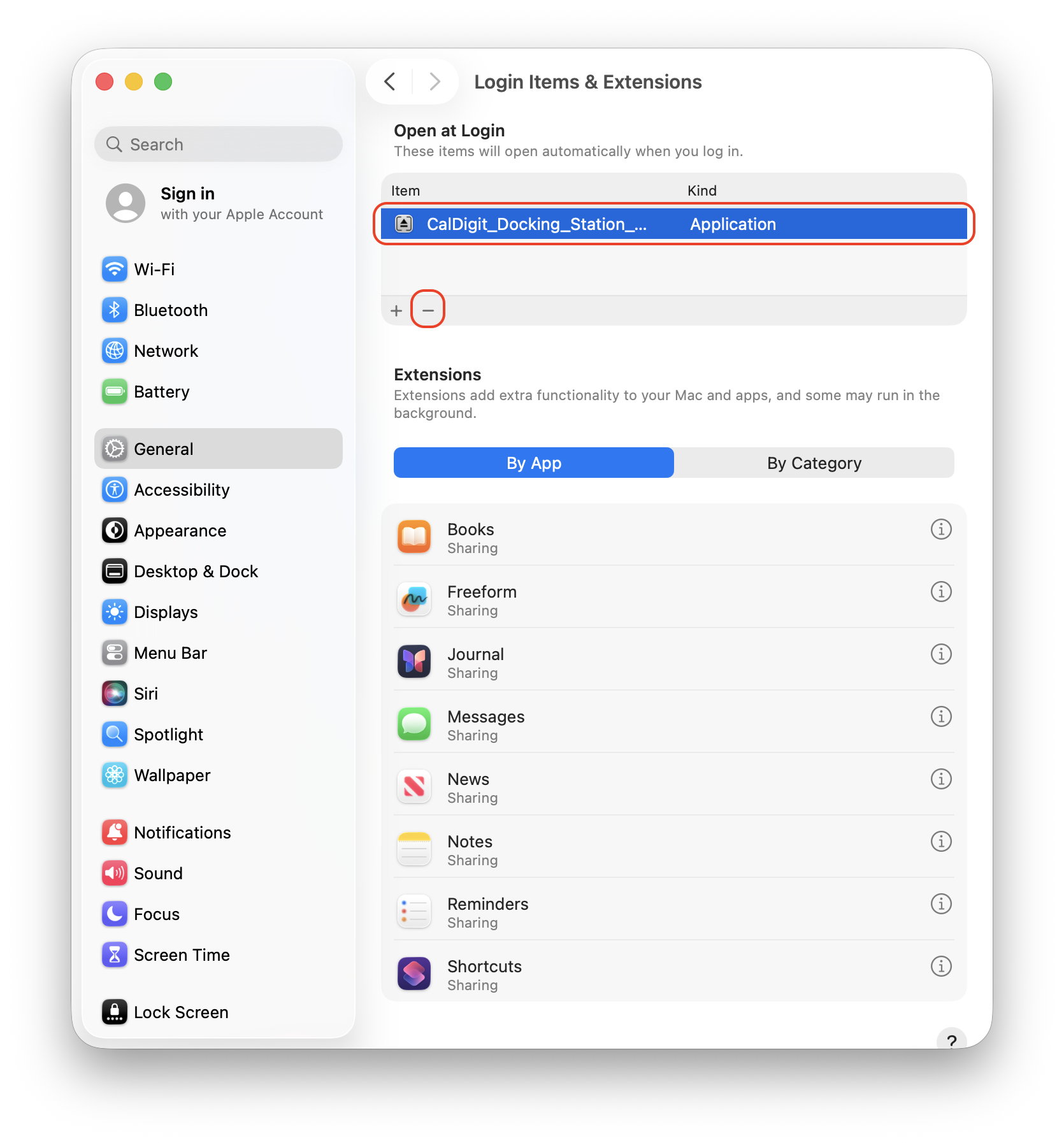
This article will guide you to add the CalDigit Docking Station Utility as a login item. Please follow the steps below:
Step 1. Open the System Settings application
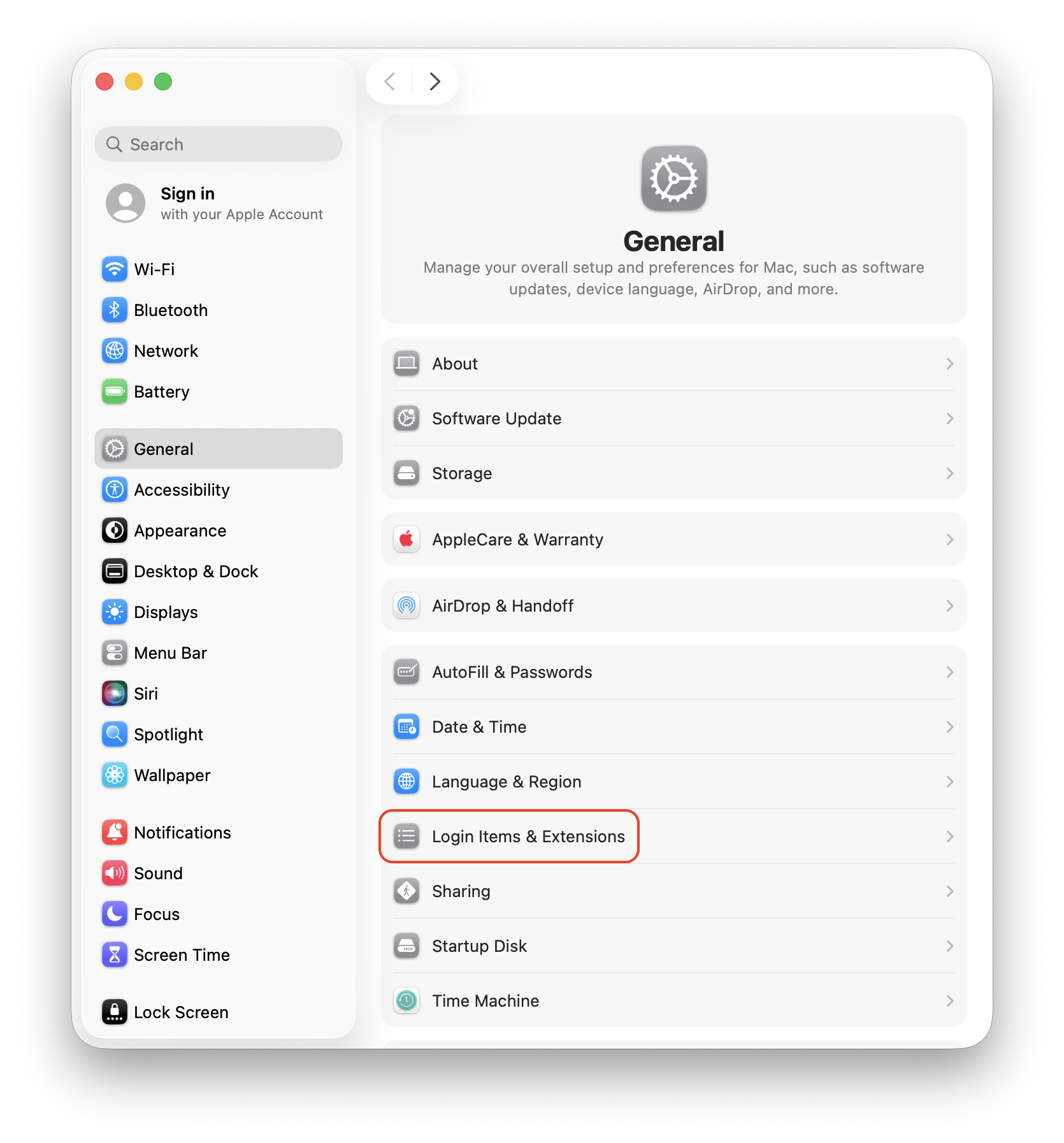
Step 2. On the left Column, select General >> locate and select Login Items & Extensions
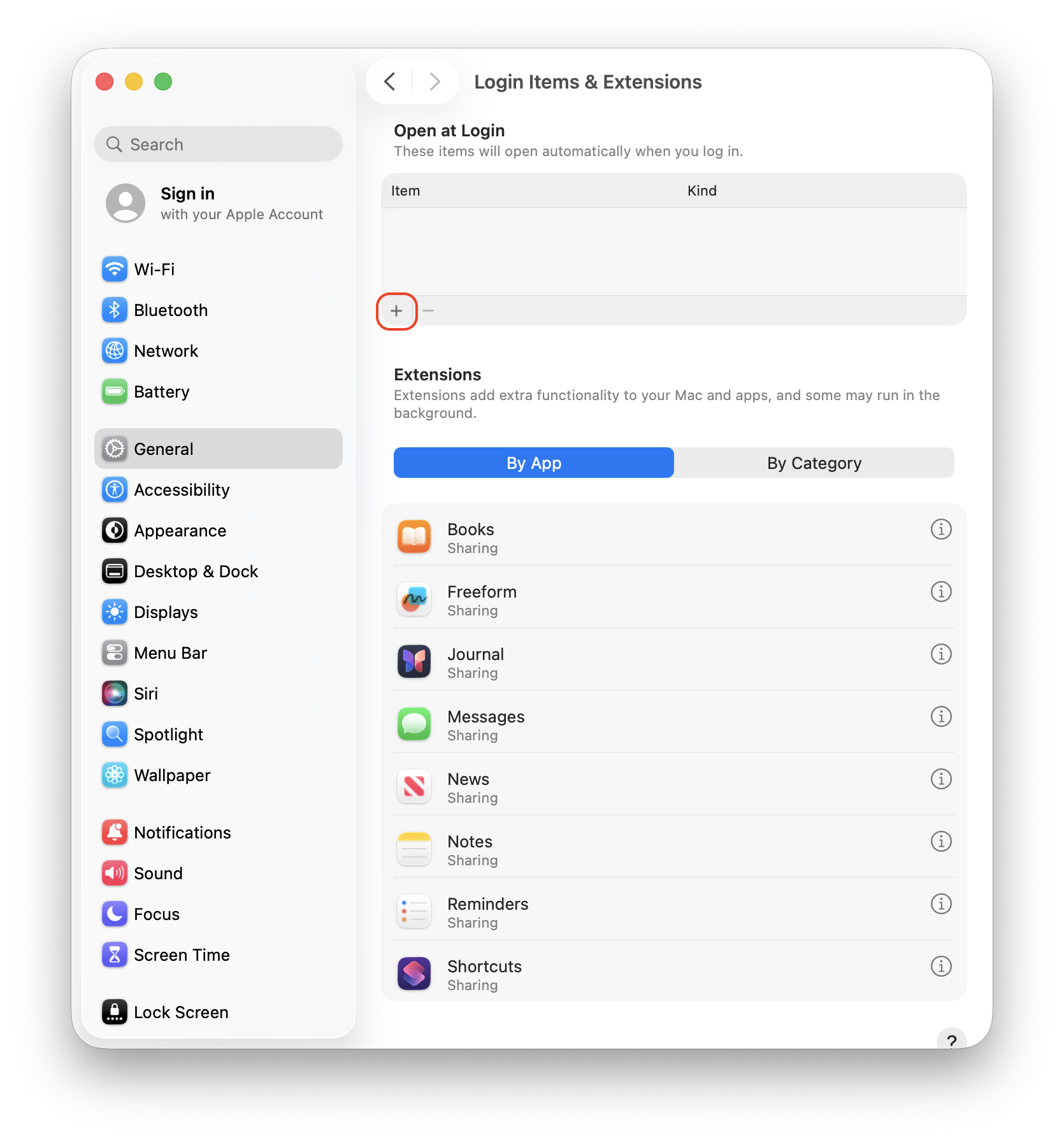
Step 3. Click on the plus icon (+)
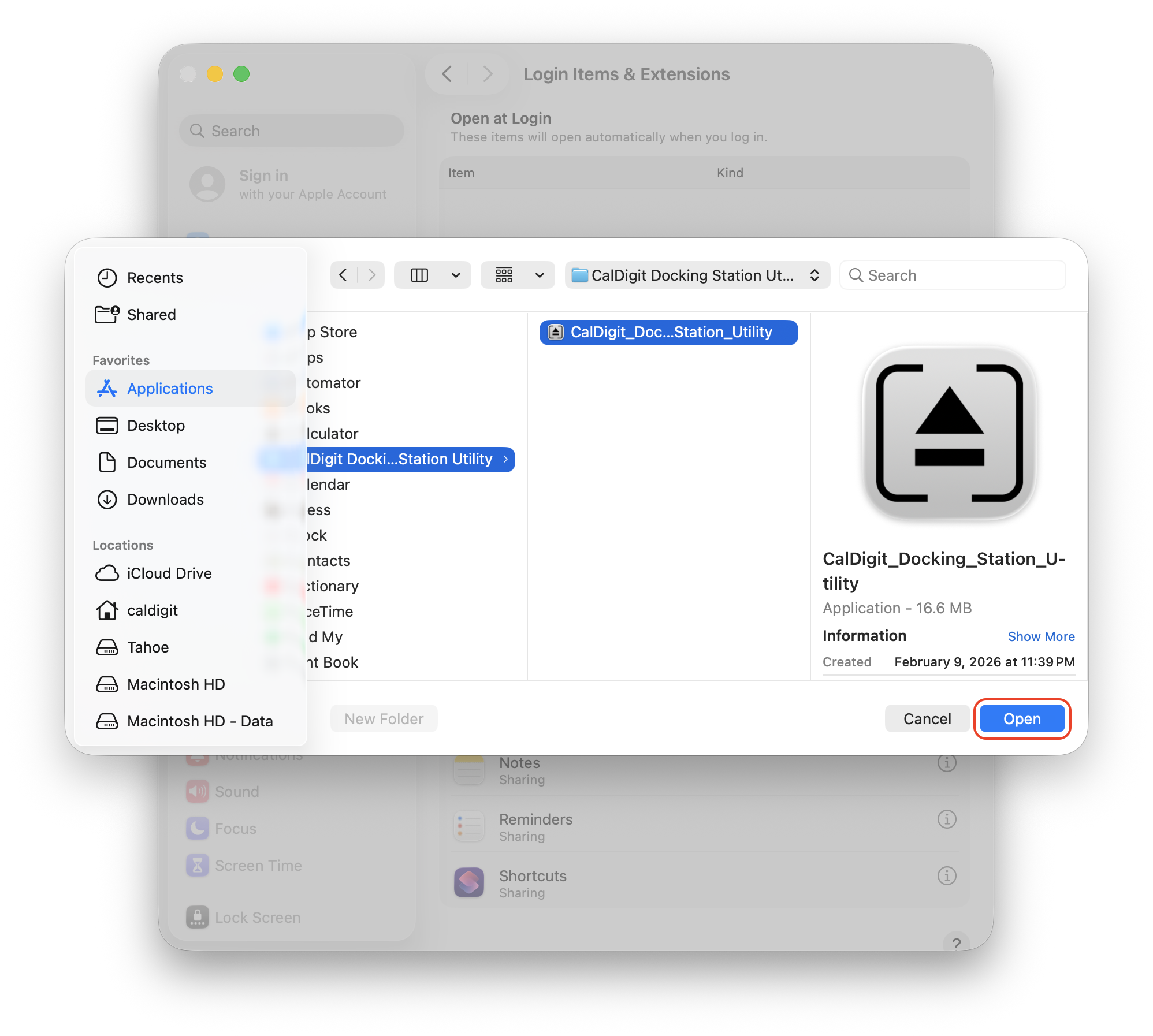
Step 4. Locate and double-click the CalDigit Docking Station Utility folder. Select the CalDigit Docking Station Utility application from inside the folder. Click Open.
To remove the utility from startup, click Docking Station Utility from the Item list and click the minus sign (-). This will stop the Utility from launching after logging in to your Mac.