Last Modified: March 3, 2026
While CalDigit Thunderbolt Docks are capable of supporting multiple monitors over a single Thunderbolt connection, the same is not true of all computers. Even different versions of similar computers may have limitations that prevent one from supporting multiple monitors with our products.
To help prevent confusion, we have compiled the below chart to show a single CalDigit Thunderbolt dock can support on different MacBook platforms.
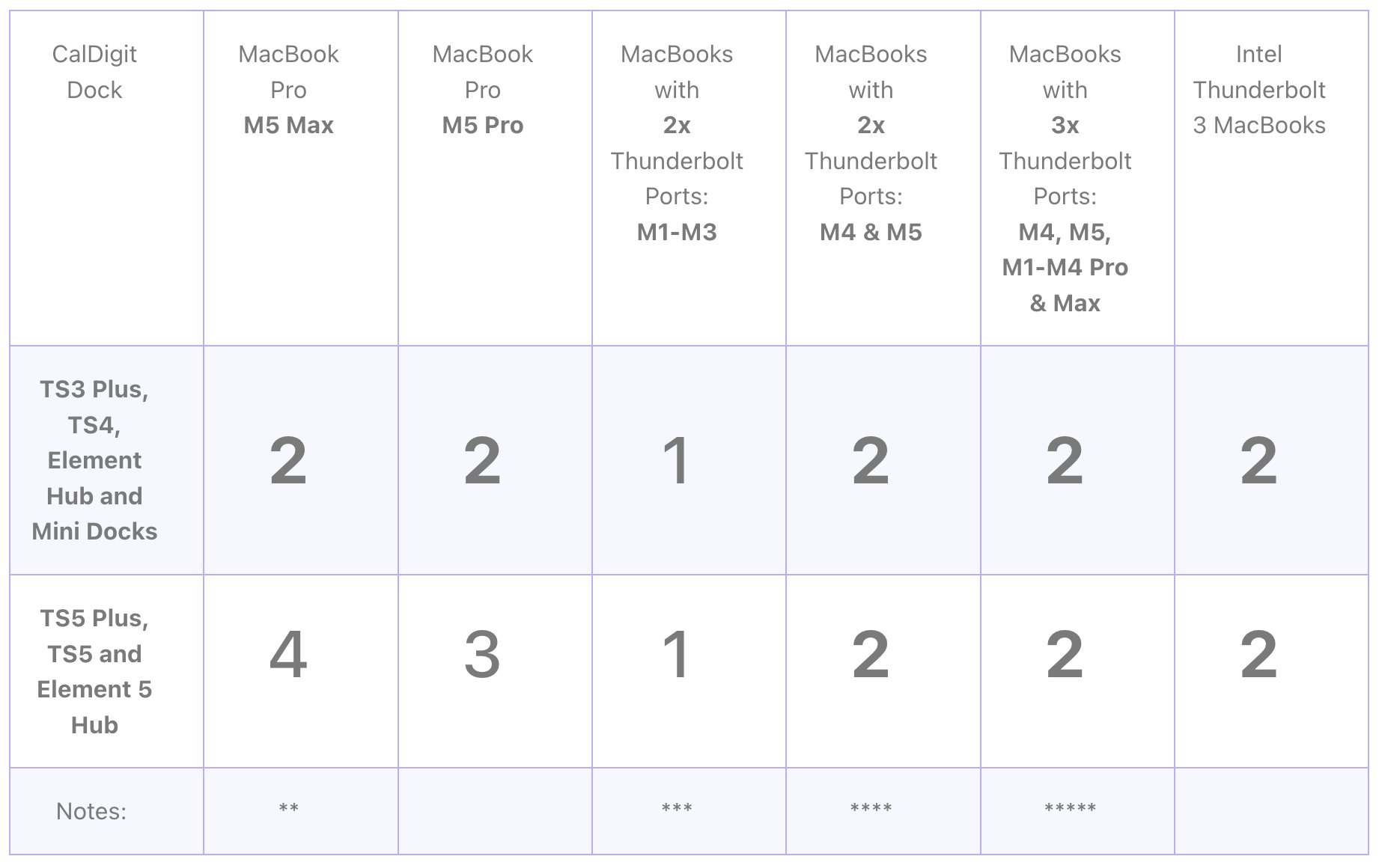
* Number of external monitors support may still vary by the resolutions and refresh rates on the monitors.
** For M5 Max – When supporting more than 3 monitors from a single CalDigit Thunderbolt 5 dock, the 4th one must be a Thunderbolt monitor that has a downstream Thunderbolt port to chain to another monitor.
*** M3 MacBook 14″ and M3 MacBook Air can support dual monitors externally via a CalDigit dock when in clamshell mode.
**** M4 and M5 MacBook Air can support dual extended monitors via a CalDigit dock.
***** Apple Silicon M1-M4 Max chips can support up to 4 monitors when using 2 CalDigit Thunderbolt docks across multiple Thunderbolt ports.
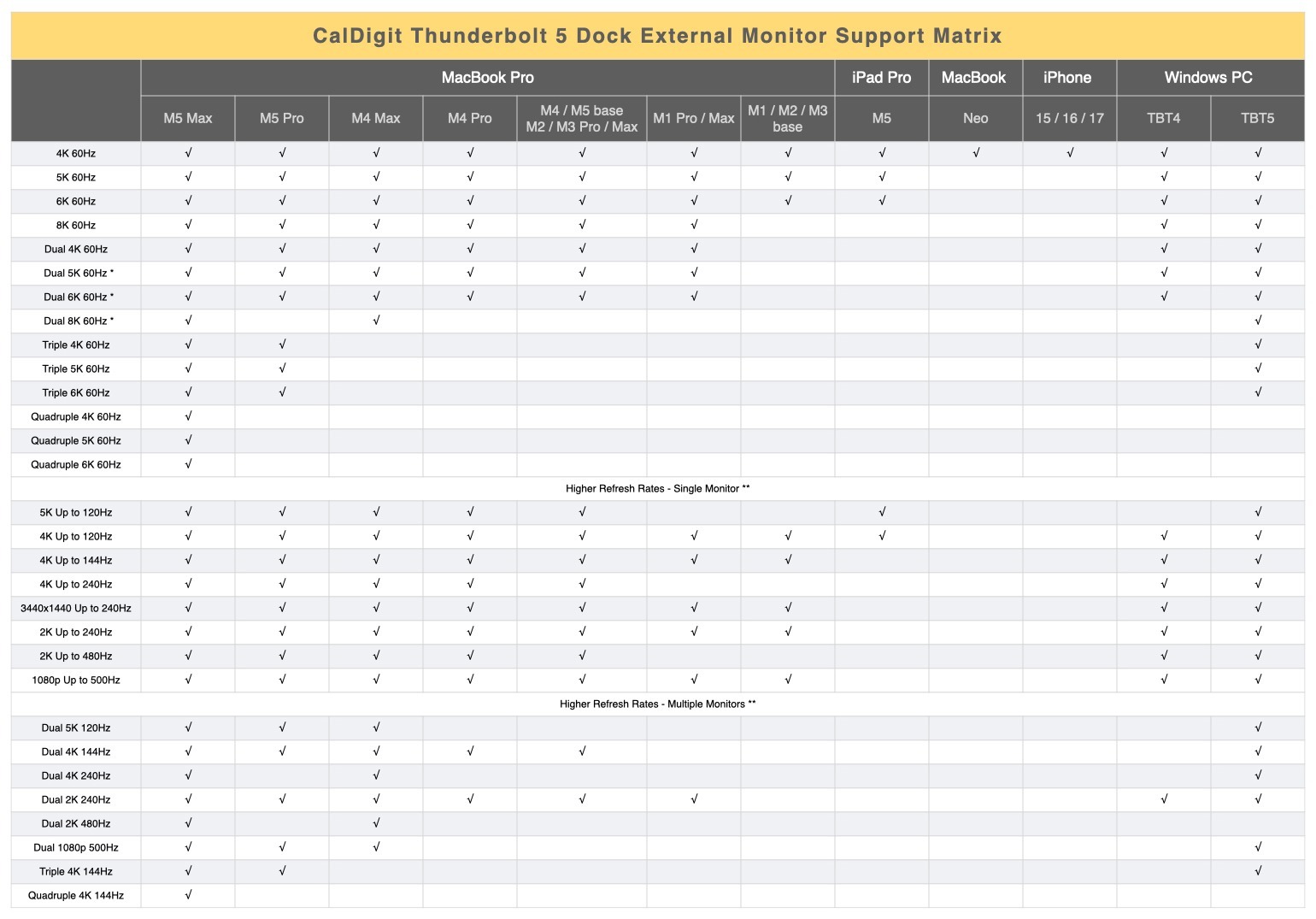
The following chart shows CalDigit Thunderbolt 5 Docks / Hub’s support on different platforms, monitor resolutions and refresh rates.