
Support Center

Checking the Thunderbolt Firmware Version of my CalDigit Device on macOS

Checking the Thunderbolt Firmware Version of my CalDigit Device on macOS

Last Modified: Feb 26th, 2026

To check your Thunderbolt dock or hub’s firmware version, please follow these steps:

Please note that the following steps only work for macOS 13 and above.

Step 1. Click on the Apple logo on the top left of your screen and click “About This Mac”. The window from the screenshot below should appear on your screen:
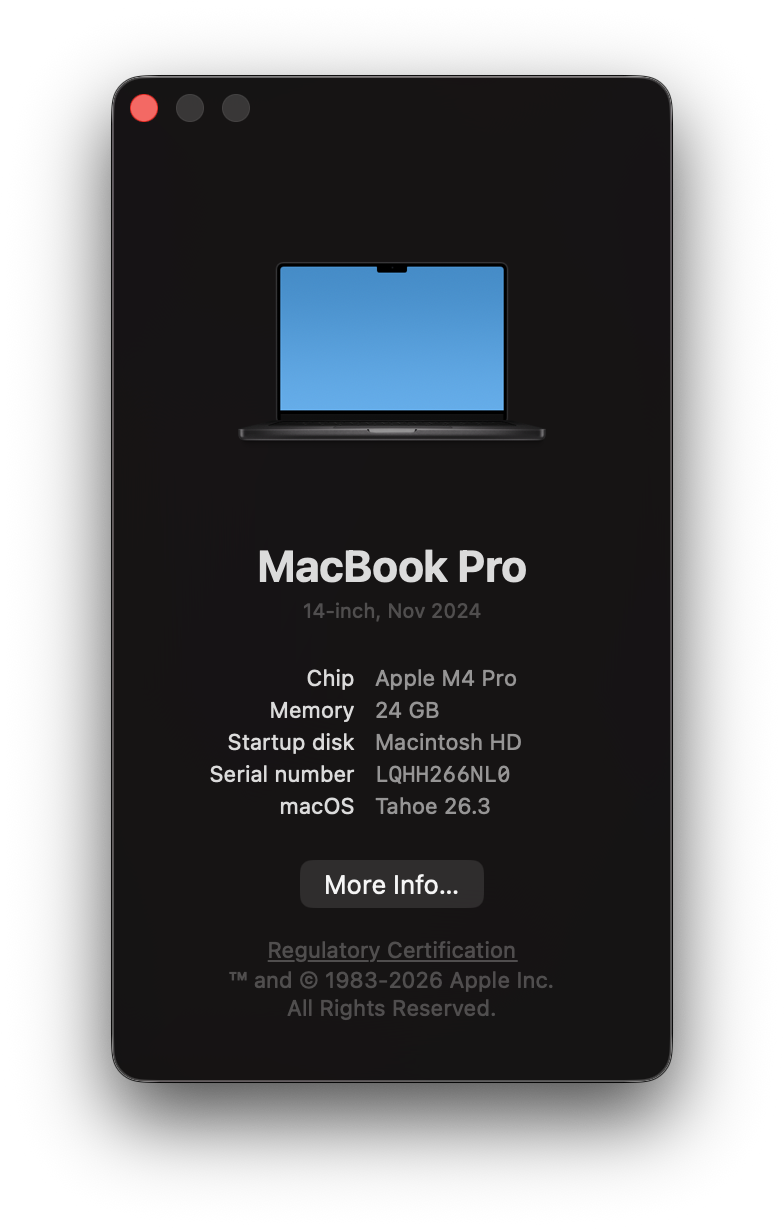
Screenshot of the window that appears after clicking the Apple logo at the top left of the screen and clicking About This Mac.


Step 2. Click “More Info…” from the Window above. Scroll down and click “System Report”.
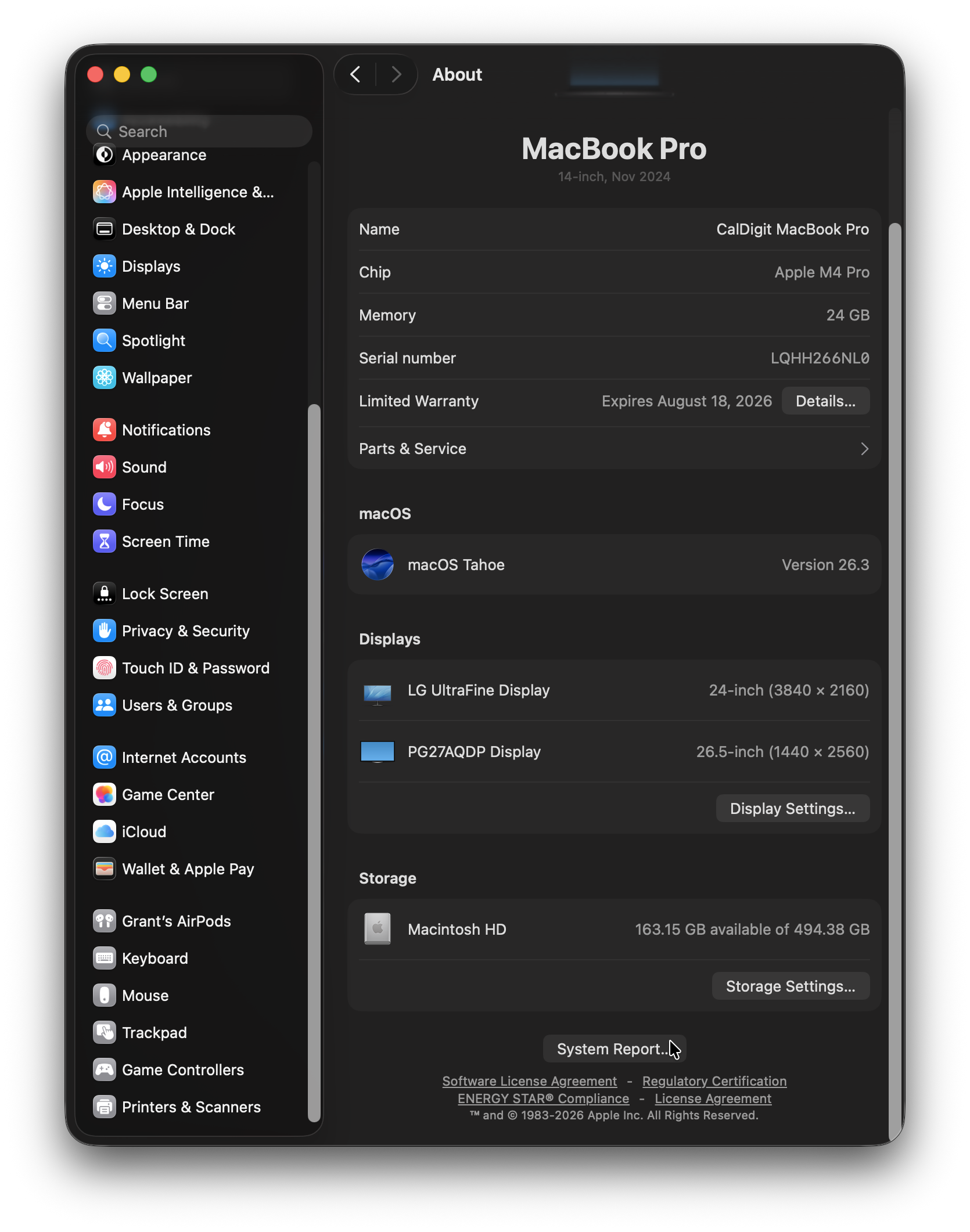
Screenshot of the System Settings application with the About tab open. Mouse pointer is hovering over System Report button at the bottom of the window.

Step 3. Locate and click on the Thunderbolt/USB4 (circled in orange) header on the left-hand column of the System Information Application. Click on your CalDigit device (circled in blue) in the Thunderbolt/USB4 Device Tree. After clicking on your CalDigit Device, you will be able to see the Thunderbolt firmware version. (circled in red)
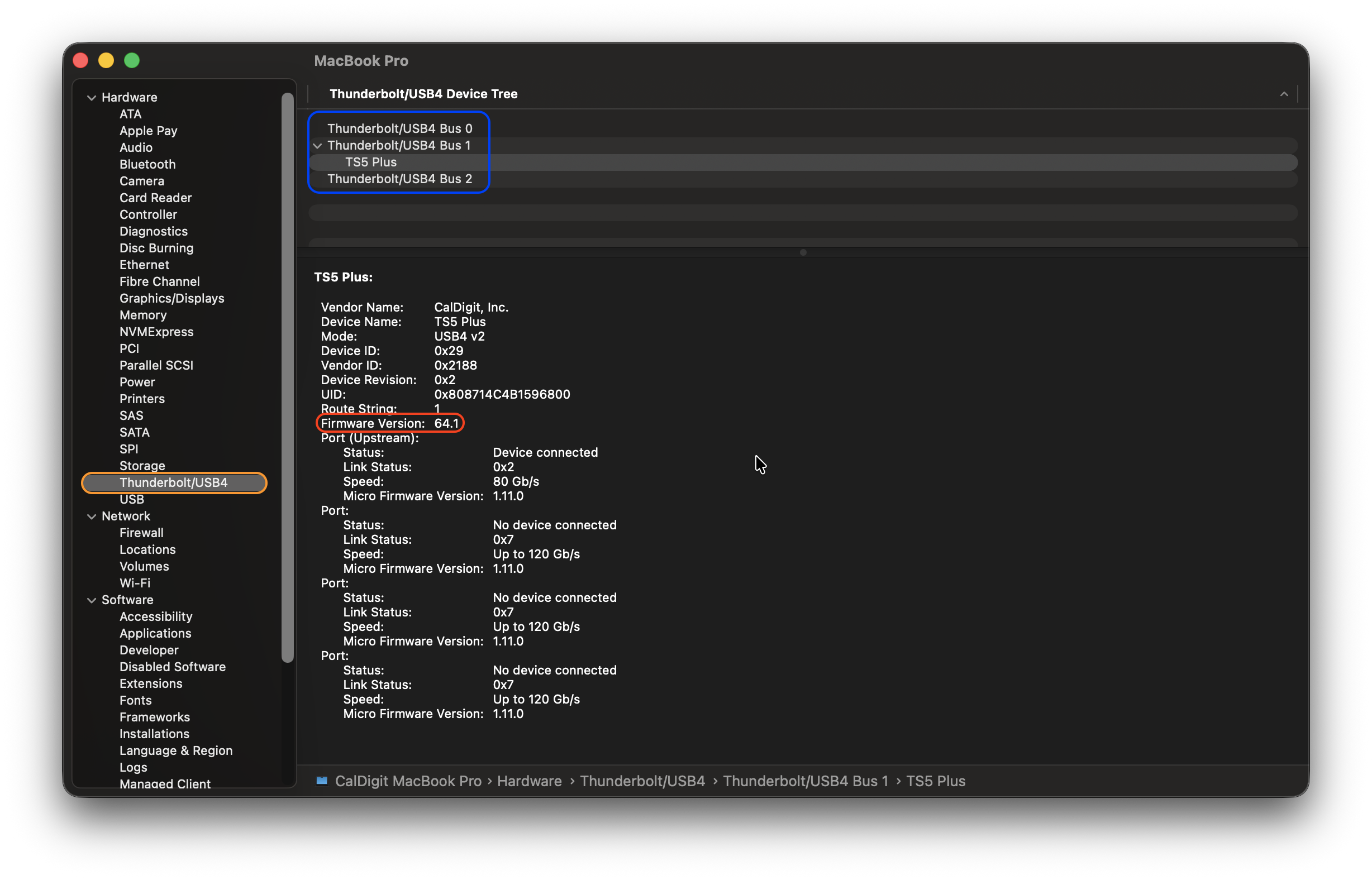
Screenshot of the System Information application showing the firmware version of the TS5 Plus.

To check the latest Thunderbolt firmware version available for your CalDigit device, please navigate to our Downloads Page, click on your device, and check under the Thunderbolt Firmware Updater header as shown here:
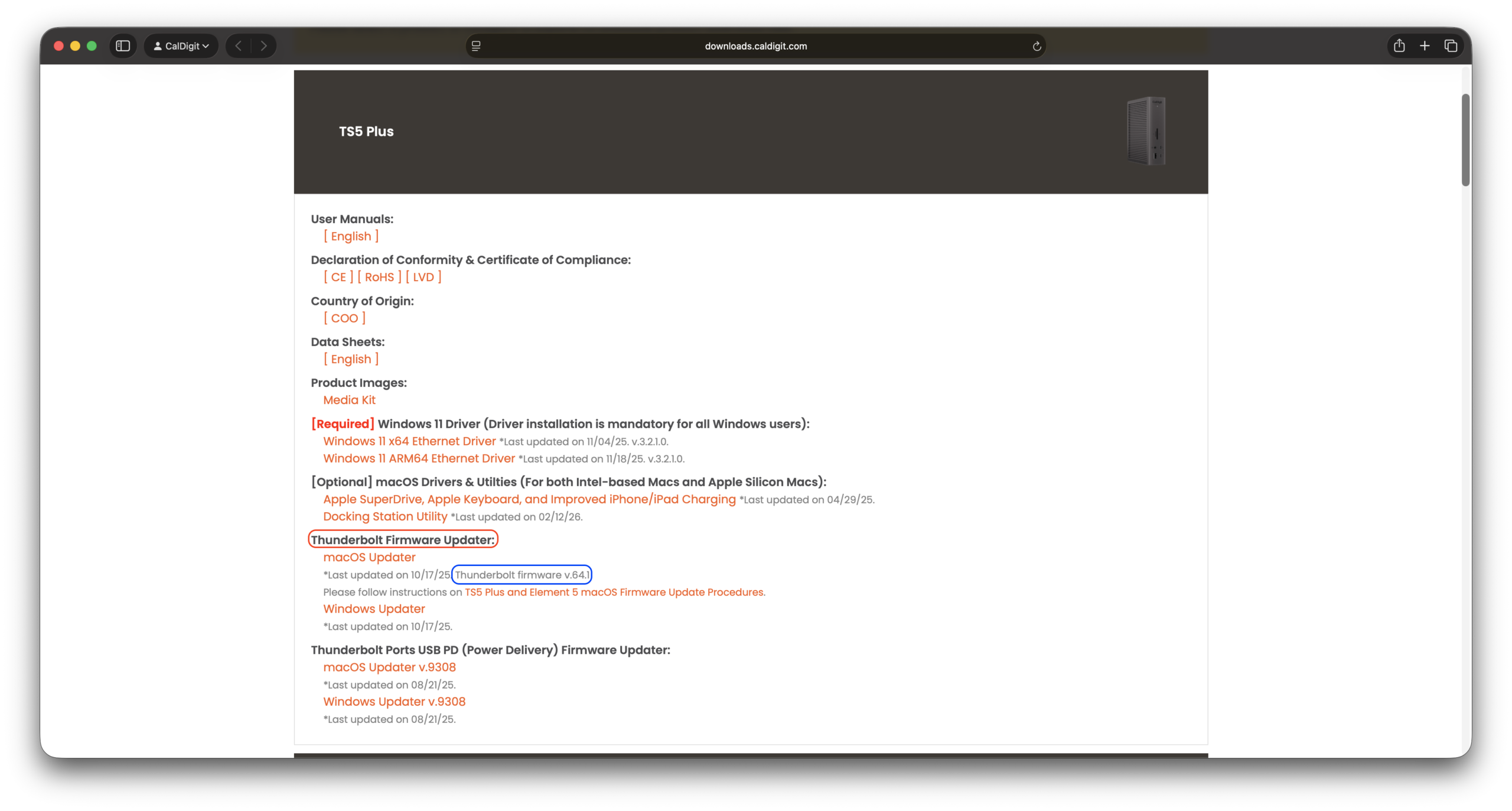

Screenshot of the CalDigit Downloads page with the Thunderbolt Firmware Updater header circled in Red and the latest version of the firmware circled in Blue.

CalDigit Support is ready to assist you.
For an optimal experience please have your product name, serial number, and operating system on hand prior to contacting support

Follow us on

Social Media

Follow us on

Social Media

Need some help?

Hours of Operation

Americas​​ ​

Mon – Fri   9:00AM – 6:00PM

(PST, UTC/GMT –8)

UK & Europe

Mon – Fri 8:30AM – 5:30PM  

(UTC/GMT 0)

Japan

Mon – Fri 9:00AM – 6:00PM

(UTC/GMT +9)

Asia

Mon – Fri 8:00AM – 5:00PM

(UTC/GMT +8)

CalDigit Support is ready to assist you.

For an optimal experience please have the following on hand prior to contacting support. 

Ready to chat?

Click the button to get started!

Need some help?

Send us an email! Our customer service representatives are patiently waiting!

Americas

+1 (714) 519-3387 (New Phone Line)

Support@CalDigit.com

Mon – Fri   9:00AM – 6:00PM
(PST, UTC/GMT –8)

UK & Europe

+44 (0) 1993 700 972

EUSupport@CalDigit.com

Mon – Fri 8:30AM – 5:30PM  
(UTC/GMT 0)

Japan

+81 (50) 3136 5168

Japan@CalDigit.com

Mon – Fri 9:00AM – 6:00PM
(UTC/GMT +9)

Asia

+886 (2) 2226 0966
Mon – Fri 8:00AM – 5:00PM
(UTC/GMT +8)

APAC.Support@CalDigit.com
(Email will be replied from California)

For an optimal experience please have your product name, serial number, and operating system on hand prior to contacting support.

Cookie Graphic

This website uses cookies to improve your user experience. By continuing to browse this website, you are agreeing to our use of cookies. We encourage you to review our Privacy Policy.