

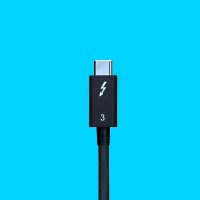
Thunderbolt 3
Thunderbolt 3
Backward Compatible
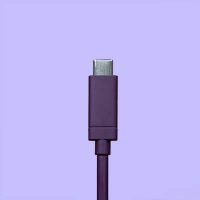
USB-C
USB-C
USB4™| USB 3.2 | USB 3.1 | USB 3.0
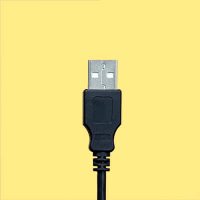
USB-A
USB-A
USB 3.1 | USB 3.0
Universal Compatibility Simplify your IT Environment
Tired of checking if your dock is Thunderbolt 3 or USB-C even though they share the same connector? Wish that both protocols would work together regardless of what laptop you have? CalDigit has solved this challenge and developed the USB-C Pro Dock. A next-generation dock that will adapt to any USB-C (Type-C) laptop it connects to. No drivers. No Adapters. It just works! The days of checking Tech Specs are gone.
Charge your laptop, add devices and light up dual monitors, all with a single cable, regardless of your connectivity. For the first time ever go from a Mac (Thunderbolt 3) to a Windows PC (USB-C or Thunderbolt 3) or even a USB-C Chromebook without any challenges. It doesn’t just stop at computers, the USB-C Pro Dock also works with the iPad Pro, Windows USB-C phones/tablets and Android USB-C phones, delivering a full desktop experience with external monitors, keyboard, mouse, Ethernet, external USB drives and charging.
Whatever you thought of docking solutions. Think again! The USB-C Pro Dock redefines the docking experience with a solution that works everywhere.* Can your dock do that?
*Full dock functionality depends on the host computer’s capabilities. Please contact your host device manufacturer to confirm external display, host charging, and USB device support.

USB-C & Thunderbolt 3 Dock with Dual 4K Connectivity
Whether your laptop is USB-C® or Thunderbolt™ 3, the USB-C Pro Dock re-writes the rule book on what a docking solution is capable of by supplying dual monitors, charging, and connectivity for both types of laptops.

Laptop Charging
No matter if you’re connected to a Thunderbolt 3 or USB-C laptop, the USB-C Pro Dock will charge your laptop up to 85W, making it a perfect companion for any Mac or Windows PC*.
*Windows PC users must check if their USB-C port is capable of doing laptop charging as not all PC manufacturers have added this functionality to their USB-C ports, limiting them to data or display only.
Dual Display Connectivity Built-In
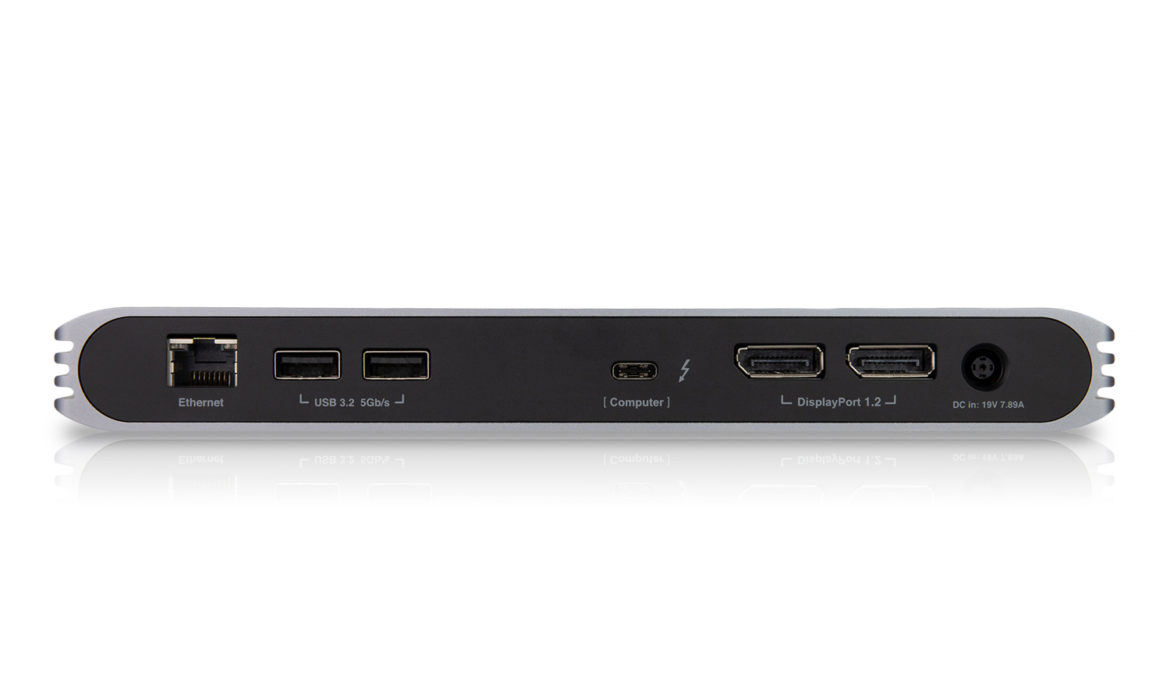
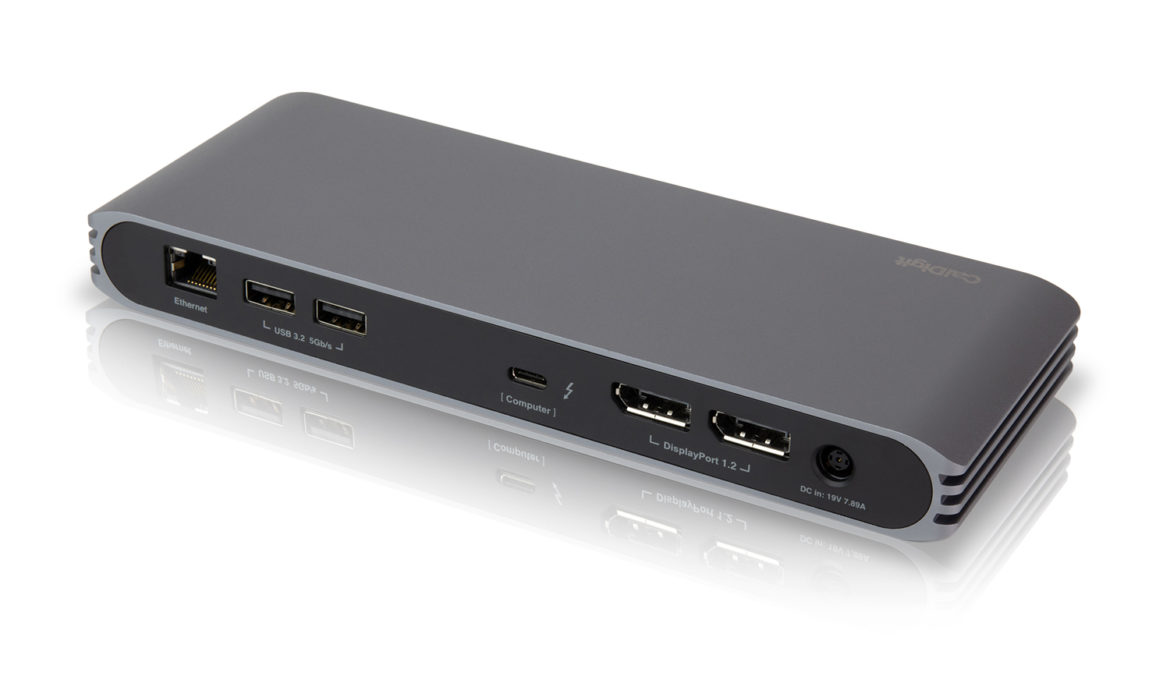
The USB-C Pro Dock has two built-in DisplayPort connectors for directly adding dual 4K 60Hz monitors to your laptop without the need for any USB-C Video Adapters.
Need to connect a non-DisplayPort monitor, such as HDMI? Just use an “Active” DisplayPort to HDMI cable.
| Thunderbolt 3 Windows* & Intel-Based Macs | USB-C Windows & MacBook** | Apple M1/M2*** | Apple M1 Pro & M1 Max | |
|---|---|---|---|---|
|
Dual Monitors |
✓ |
✓ |
|
✓ |
|
Dual 4K 60Hz |
✓ |
|
|
✓ |
|
Dual 4K 30Hz |
✓ |
|
|
✓ |
|
Single 4K 60Hz |
✓ |
|
✓ |
✓ |
|
Single 4K 30Hz |
✓ |
✓ |
✓ |
✓ |
|
Dual HD |
✓ |
✓ |
|
✓ |
** MacBook 12-inch models introduced in 2015, 2016 and 2017 have only one single USB-C port. These USB-C MacBooks can only support dual monitors in mirrored mode.
*** Original M1 and M2 based macs can only support one external monitor through their Thunderbolt/USB4 bus.
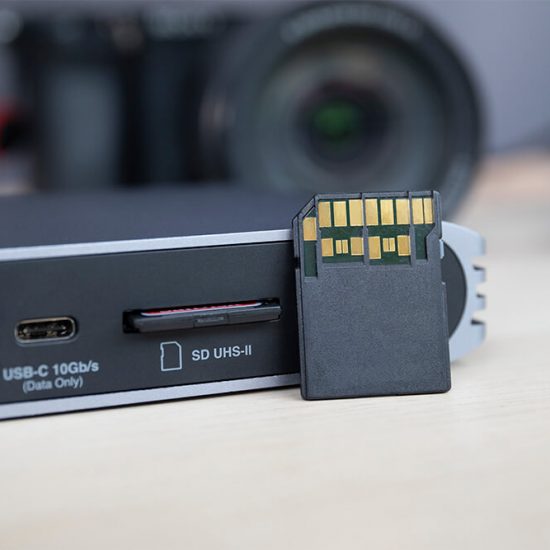
Your Fastest Card Reader
Save time and work efficiently with the USB-C Pro Docks’ built-in UHS-II Card Reader. Transfer hundreds of large files quickly and easily.
USB-C & USB-A Ports
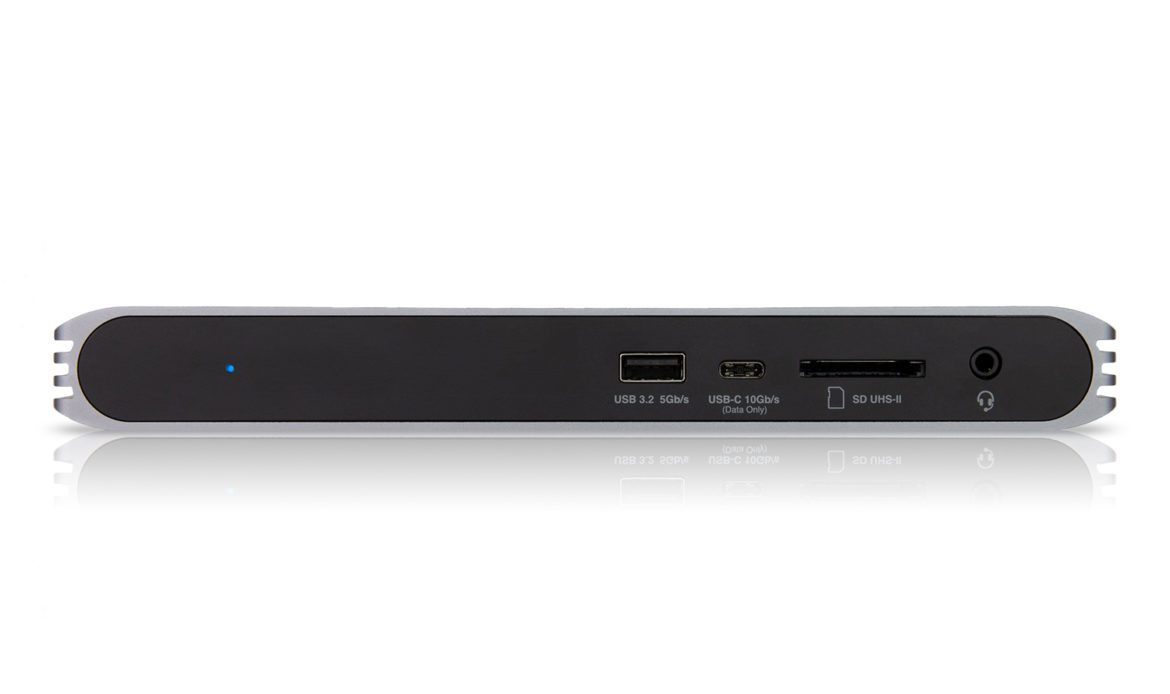
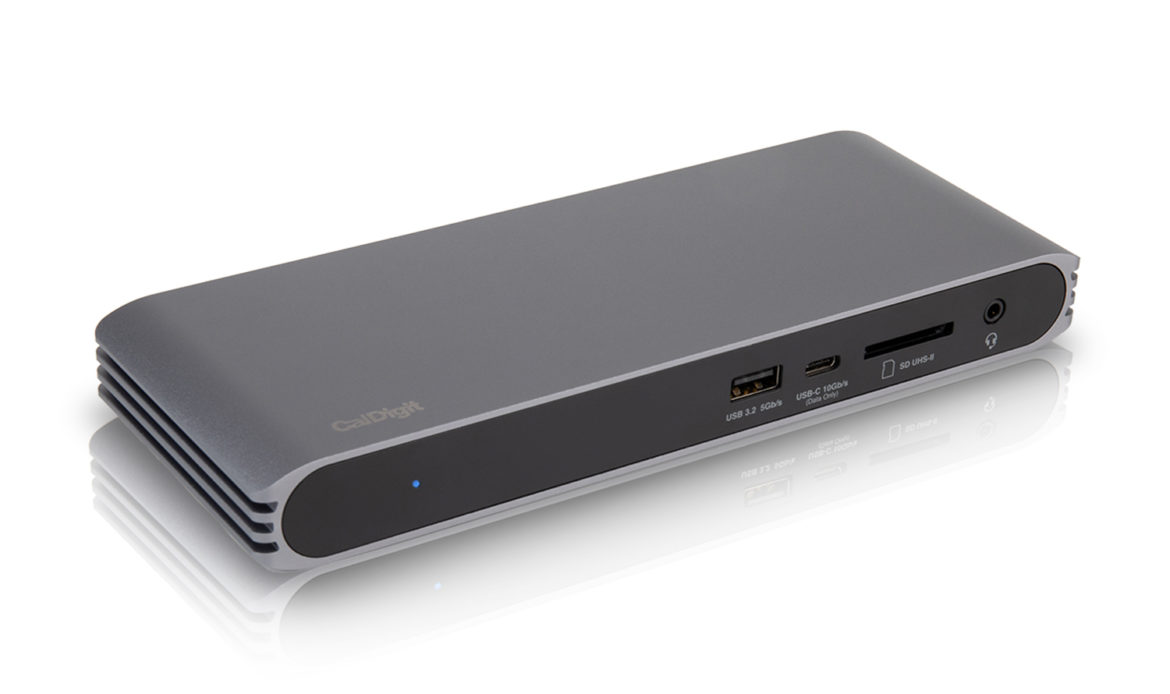
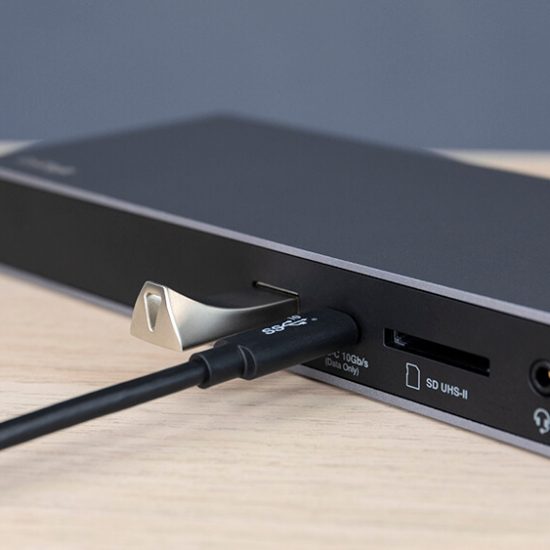
The inclusion of 4 USB ports, a mixture of USB-C and USB-A, make it incredibly convenient to connect all your devices with ease. The USB-C Pro Dock also includes a 10Gb/s USB-C port in order to connect ultra-fast SSD storage.
With three additional USB Type-A ports, it is easy to add a keyboard, mouse, microphone, speakers, scanner, printer, or any legacy USB peripheral.
Audio In/Out
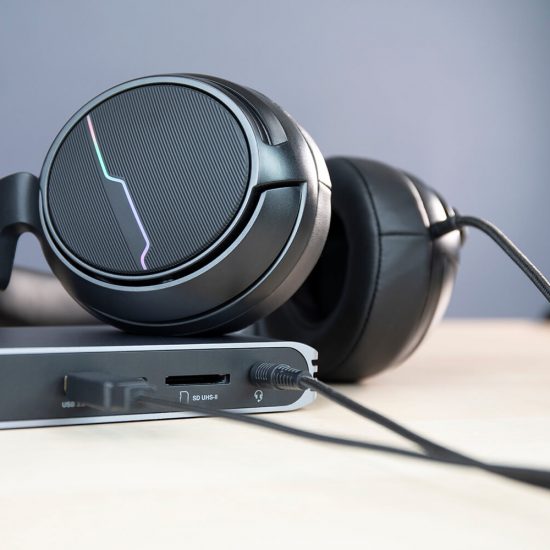
The convenient front-facing combo Audio port allows users to easily to connect headphones or speakers.
Consistent Connection
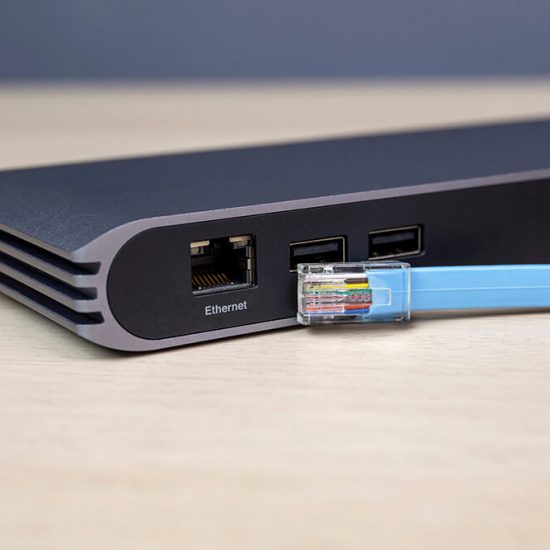
If you’re sitting at your desk connected to your dual monitors and various devices, why not take advantage of your home or office’s wired Ethernet connection and benefit from a more consistent connection.
IPAD PRO & IPAD AIR (4TH GEN)
Charge your laptop, add devices and light up dual monitors, all with a single cable, regardless of your connectivity. For the first time ever go from a Mac (Thunderbolt 3) to a Windows PC (USB-C or Thunderbolt 3) or even a USB-C Chromebook without any challenges. It doesn’t just stop at computers, the USB-C Pro Dock also works with Apple’s USB-C iPad Pro, iPad Air (4th Gen), Windows USB-C phones/tablets and Android USB-C phones, delivering a full desktop experience with external monitors, keyboard, mouse, Ethernet, external USB drives and charging.
- 4K 60HZ
- USB Drives
- SD Card
- Keyboard Support
- Mouse Support
- Gigabit Ethernet
- Audio
- Fast Charging
*External drives, devices, keyboard, mouse and SD card support are available in iPadOS. The iPad Pro does not support external dual monitors.
Turn Your Tablet or Smartphone into a Workstation
Turn Your Tablet or Smartphone into a workstation. From the Surface Go to the latest USB-C tablets, the CalDigit USB-C Pro Dock proves it is not just a companion for traditional laptops. Through the USB-C connector, Windows and Android tablet and even smartphone users are capable of gaining access to multiple devices, external display and turning their devices into workstations.
*Full dock functionality depends on the tablet's and smartphone's capabilities. Please contact your device manufacturer to confirm external display, charging and USB device support.
Expanded Flexibility
The USB-C Pro Dock is also compatible with non Type-C laptops, for added flexibility. If you have a laptop that is with USB-A ports only, you can still take advantage of the USB-C Pro Dock’s USB connectivity with some limited functionality.
| Thunderbolt 3 (40Gb/s) Laptop | USB-C Laptop | USB-A (5Gb/s) Laptop | Apple M1/M2-Based Macs | |
|---|---|---|---|---|
|
Dual Displays |
✓ |
✓ |
|
|
|
Single Display |
✓ |
✓ |
|
✓ |
|
USB Connectivity |
✓ |
✓ |
✓ |
✓ |
|
SD Card Reader |
✓ |
✓ |
✓ |
✓ |
|
Gigabit Ethernet |
✓ |
✓ |
✓ |
✓ |
|
Audio |
✓ |
✓ |
✓ |
✓ |
|
Laptop Charging |
✓ |
✓ |
|
✓ |
**USB-A users will need a USB-C to USB-A cable sold separately.
Fully Connected
All The Time
Every Time
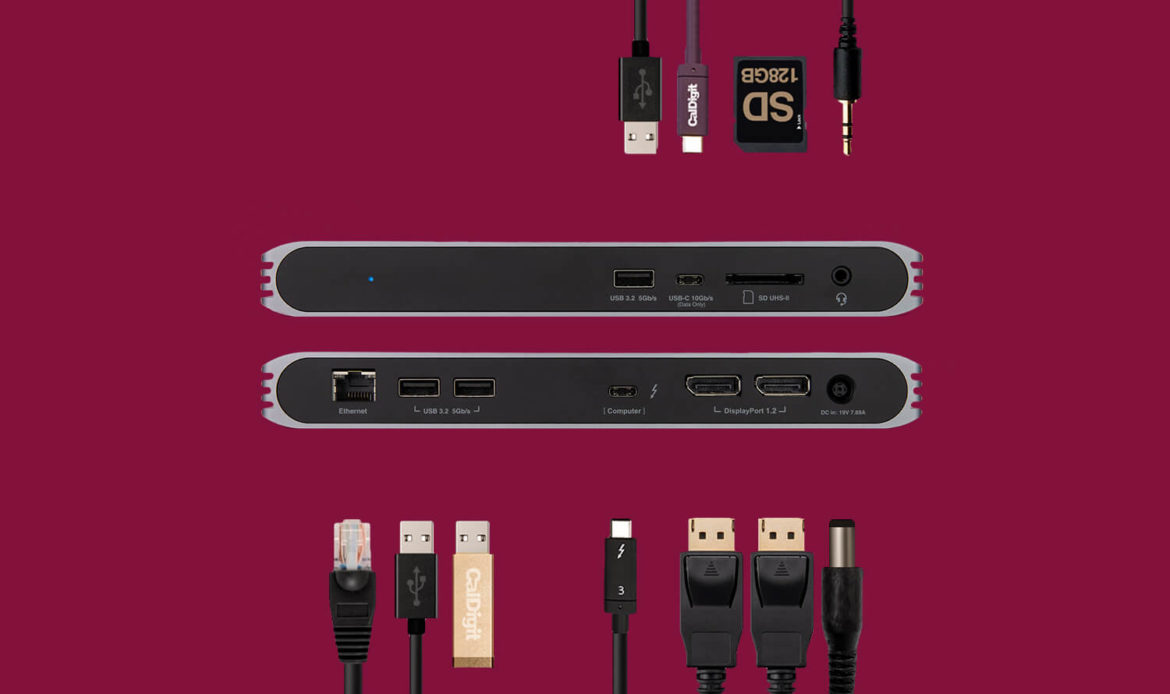
The ports on the USB-C Pro Dock work contemporaneously. This means that all of your peripherals can be plugged in whilst still providing up to 85W of laptop charging. Most inexpensive USB-C hubs, dongles and some desktop docks on the market, share the limited power source among all your attached devices. The worst case scenario for these devices are to randomly drop out from your computer or data loss. This is not an issue with CalDigit products as the USB-C Pro Dock’s ports work all the time, every time.
Docking Station Utility
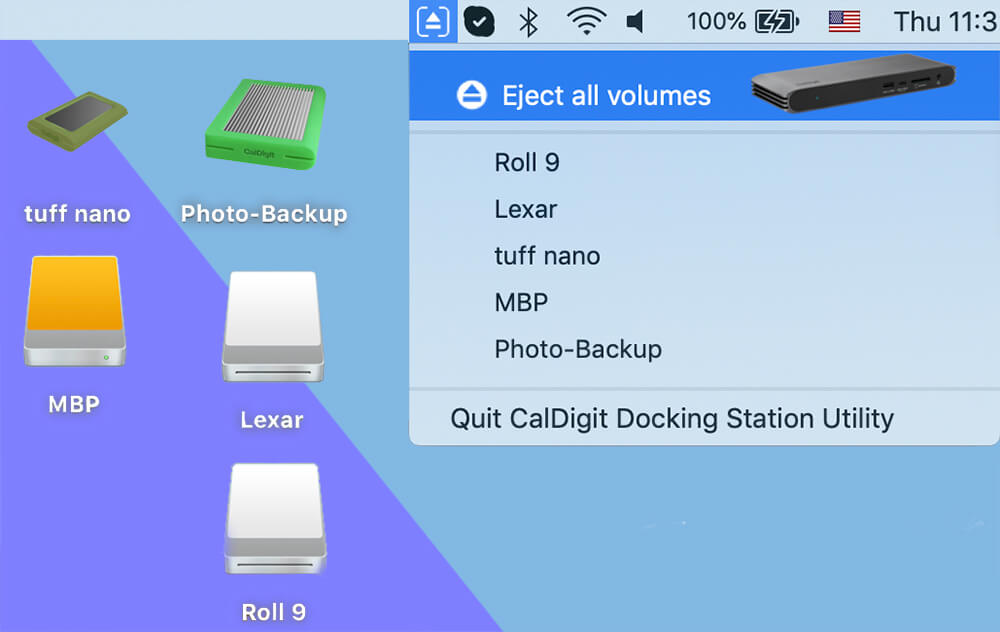
CalDigit offers a free software utility that makes it incredibly easy to disconnect all the external drives connected to the USB-C Pro Dock with a single click.
*Currently this docking utility is only available for macOS.
USB4 Ready
The next generation of USB4 is around the corner and offers higher performance than the current USB 3.2 standard. Whether you’re using current USB technologies or future USB4 laptops, the USB-C Pro Dock will work on it all.*
*Full dock functionality depends on the host computer’s capabilities. Please contact your host device manufacturer to confirm external display, host charging, and USB device support.
Stand Alone Charging
The front-facing USB-A port on the USB-C Pro Dock offers Stand Alone Charging functionality that allows the dock to charge USB devices, such as iPhone, iPad, Apple Watch up to 7.5W without the laptop connected.
SuperDrive
CalDigit is known for its Mac-centric design and is passionate about designing products that compliment Apple devices aesthetically and functionally. While none of the other USB-C docks on the market is able to support Apple’s SuperDrive, CalDigit’s USB-C Pro Dock is to deliver such compatibility *. These little details are what sets CalDigit apart from the rest.
*SuperDrive support in macOS requires one time only driver installation. Please download the driver here.
PRODUCT OVERVIEW
- Technical Specifications
- How do we compare?
Dimension and Weight
Height : 0.98 inches (25.0 mm)
Width : 8.43 inches (214.0 mm)
Depth : 3.15 inches (80.0 mm)
Weight: 0.93 lbs (0.42 kgs)
Interface
1 x USB-C (and Thunderbolt 3) to the host
2 x DisplayPort 1.2
3 x USB 3.2 Gen. 1 Type-A (5Gbps)
1 x USB 3.2 Gen. 2 Type-C (10Gbps)
1 x SD Card Reader (SD 4.0 UHS-II)
1 x Gigabit Ethernet
1 x 3.5mm Analog Audio In & Out
Power
AC Input : 100V-240V ~50Hz/60Hz
DC Output: 19V/7.89A, 150W
System Requirements
USB-C computer
Thunderbolt 3 computer
macOS 10.14.5 or later
Windows 10 or later
Environment
Ambient Temperature: 32°F ~ 140°F (0°C ~ 60°C)
In the box
1 x USB-C Pro Dock
1 x Power Adapter – View detailed spec.
1 x Power Cord
1 x Thunderbolt 3 Cable (0.7m)
Warranty
2 Year Limited Warranty
| CalDigit USB-C Pro Dock | Previous CalDigit USB-C Dock | Dell D6000 Dock | OWC USB-C Dock | |
|---|---|---|---|---|
|
Maximum Bandwidth to USB-C Host |
10 Gb/s |
5 Gb/s |
5 Gb/s |
5 Gb/s |
|
Maximum Bandwidth to Thunderbolt 3 Host |
40 Gb/s |
5 Gb/s |
5 Gb/s |
5 Gb/s |
|
Laptop Charging |
Up to 85W. Perfect for MacBook Pro 15″, 13″, MacBook Air, MacBook and Most PC Laptops. |
Up to 60W. Not ideal for MacBook Pro 15″. |
Up to 65W. Not ideal for MacBook Pro 15″. |
Up to 60W. Not ideal for MacBook Pro 15″.
|
|
Display Interface |
2x DisplayPort |
1x DisplayPort and 1x HDMI |
2x DisplayPort and 1x HDMI. Displays are converted from USB data. |
1x mDP
|
|
Native Dual 4K 60Hz Displays Support |
✔ |
X |
No. Required 3rd party driver installation. 5 Gb/s bandwith is shared with Video and USB devices on the dock. |
X |
|
Native Single 4K 60Hz Display Support |
✔ |
X |
X |
X |
|
Daisy Chain DisplayPort Monitors in Windows |
✔ |
X |
X |
X |
|
Number of USB Ports |
3x USB-A, 1x USB-C |
3x USB-A, 1x USB-C |
3x USB-A, 1x USB-C |
4x USB-A, 1x USB-C
|
|
Downstream USB-C port speed |
10 Gb/s |
5 Gb/s |
5 Gb/s |
5 Gb/s |
|
UHS-II SD Card Reader |
✔ |
X |
X |
X |
|
Native macOS & Windows Support. Easy to Deploy |
✔ |
X |
X |
✔ |
|
Designed for both USB-C and Thunderbolt 3 Laptops |
✔ |
X |
X |
X |
|
Compatible with iPad Pro |
✔ |
X |
X |
X |
|
Compatible with Apple SuperDrive |
✔ |
✔ |
X |
X |
|
Includes a Thunderbolt 3 cable (Compatible with USB-C Host) |
✔ |
X |
X |
X |
|
Price (USD) |
$199.95 |
$149.95 |
$239.99 |
$149.99 |
| USB-C Pro Dock (USB-C Connection) | USB-C Pro Dock (Thunderbolt 3) | TS3 Plus Thunderbolt 3 | |
|---|---|---|---|
|
Max Resolution |
4K@30Hz – 1 Monitor |
4k@ 60 Hz 1 or 2 Monitors |
5k@60Hz – 1 monitor
|
|
|
Full HD – 2 Monitors |
– |
4K@60Hz – 2 monitors
|
|
No. of USB Ports (USB-C & USB-A) |
4 |
4 |
7 |
|
Thunderbolt 3 Ports |
|
|
2 (1 required to connect to computer)
|
|
Works on macOS |
Yes* |
Yes |
Yes |
|
Works on Windows |
Yes |
Yes |
Yes |
|
Works on Linux |
Yes |
Yes |
Yes |
* USB Type-C®, USB-C® and USB4™ are trademarks of the Universal Serial Bus Implementers Forum (USB-IF). Thunderbolt™ is a trademark of Intel Corporation. All product names are trademarks, registered trademarks, or service marks of their respective owners.
** USB 3.0 and USB 3.1 protocols are now called USB 3.2.


